Processes that are actually followed.
Process control based on internal policies, multi-stage approvals, attendance and cameras from your sites. Every step has an owner, a deadline and evidence, and for each one you see who did it and when.
Internal policies that are actually followed.
Every process step has an owner, a deadline and evidence. You see deviations, corrective actions and the full audit trail before the auditor asks about them.
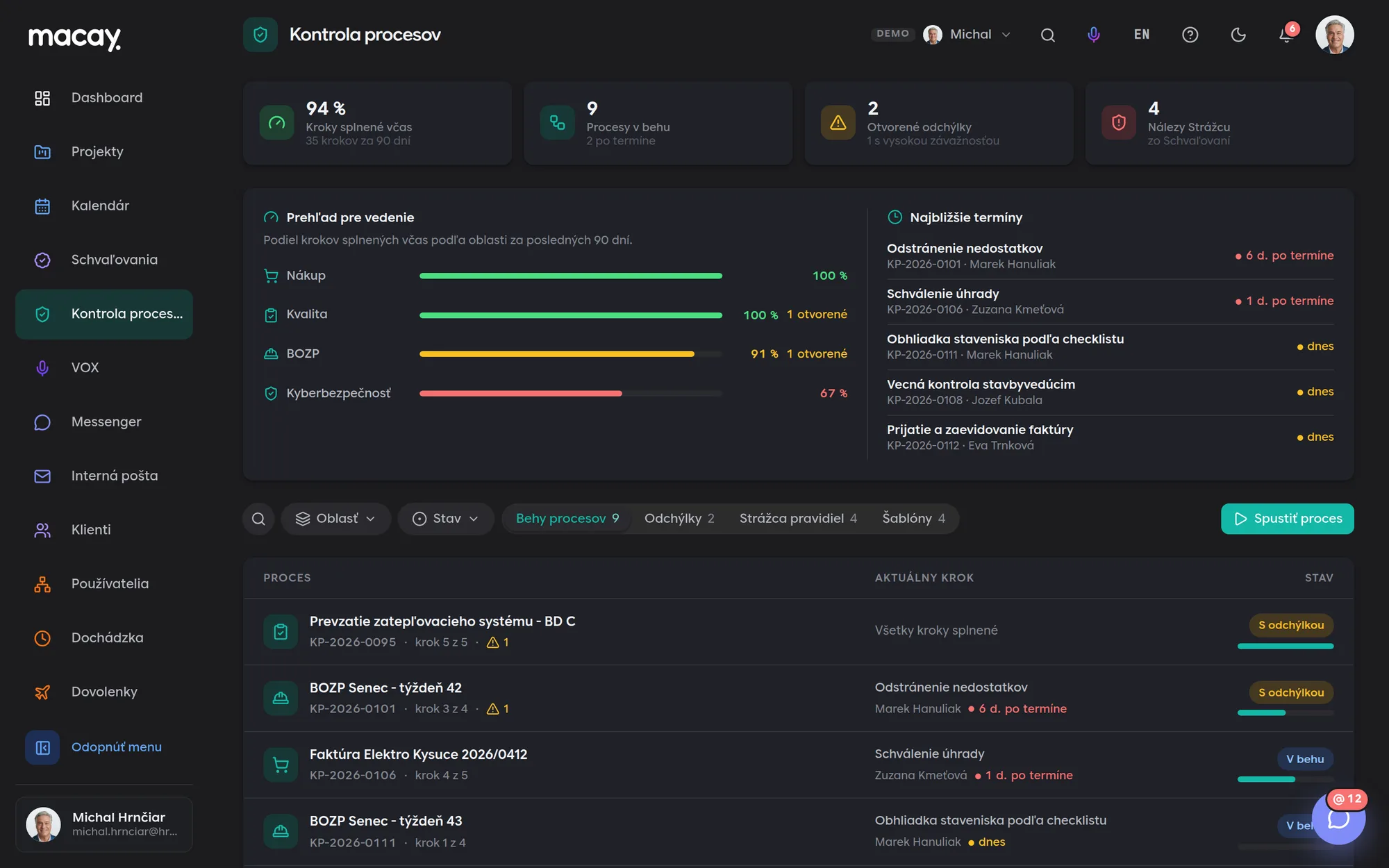
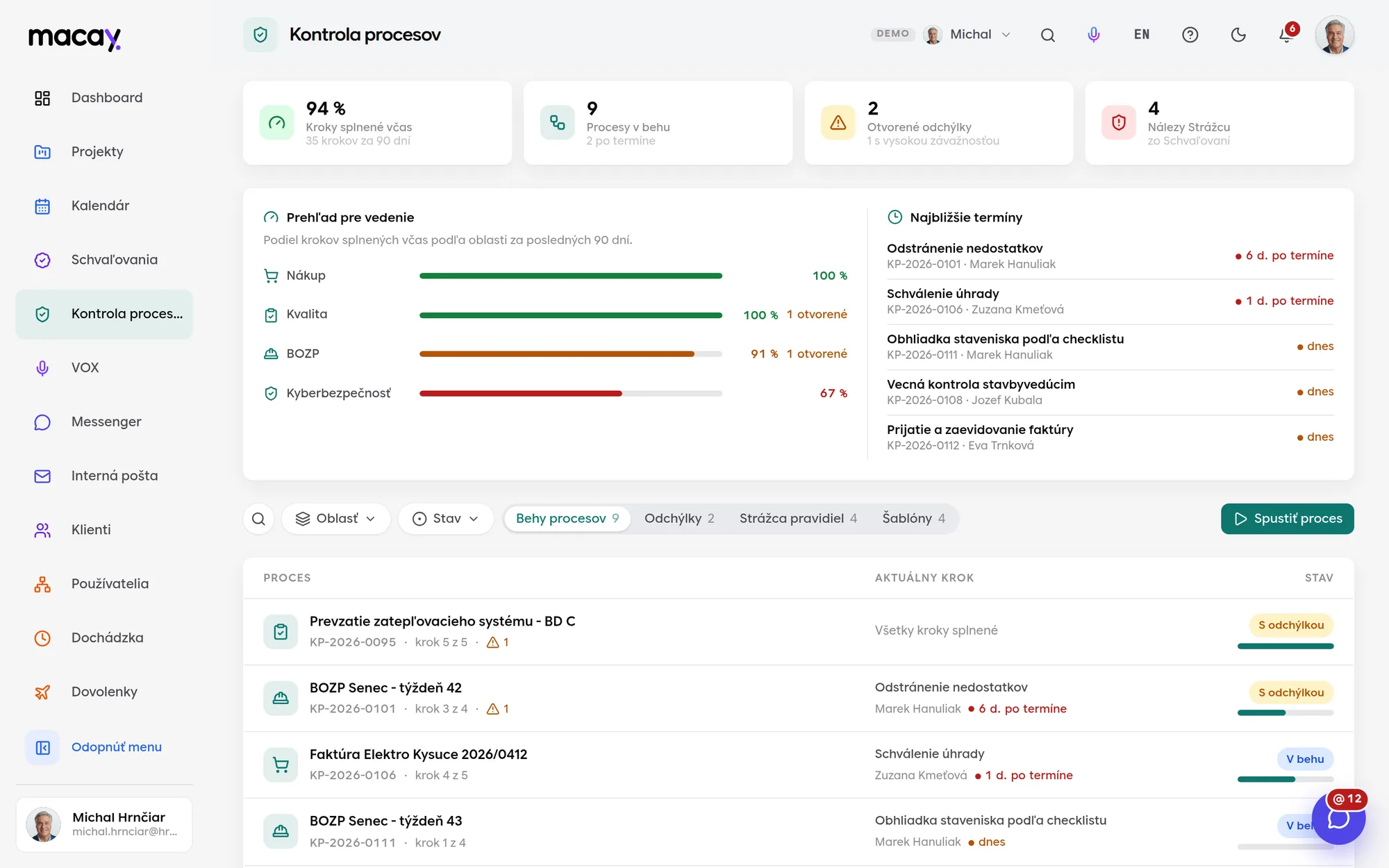
- 1On time Share of steps completed by the deadline.
- 2Areas Purchasing, quality, health and safety, cybersecurity.
- 3Process run Number, current step and deviations.
- 4Guardian Findings from Approvals in one place.
- 5Deadlines Upcoming steps and what is overdue.
- 6Status Running, with a deviation or closed.
A process from an internal policy
Turn an internal policy into a process template. You review and adjust the suggested steps, deadlines and rules before saving.
Evidence at every step
A document, checklist or electronic signature. Without evidence the step cannot be confirmed, and only the responsible person can confirm it.
Deviations record themselves
A step confirmed after its deadline creates a deviation. Severity is set by the number of days late.
Corrective actions
For each deviation, management decides what will be done, by whom and by when. It is closed only once it's verified that the action worked.
Approvals without chasing signatures.
Purchases, contracts, expenses and hiring go through multi-stage approval with rules based on amount. Everyone sees what's waiting on them, and every decision stays in an immutable audit record.
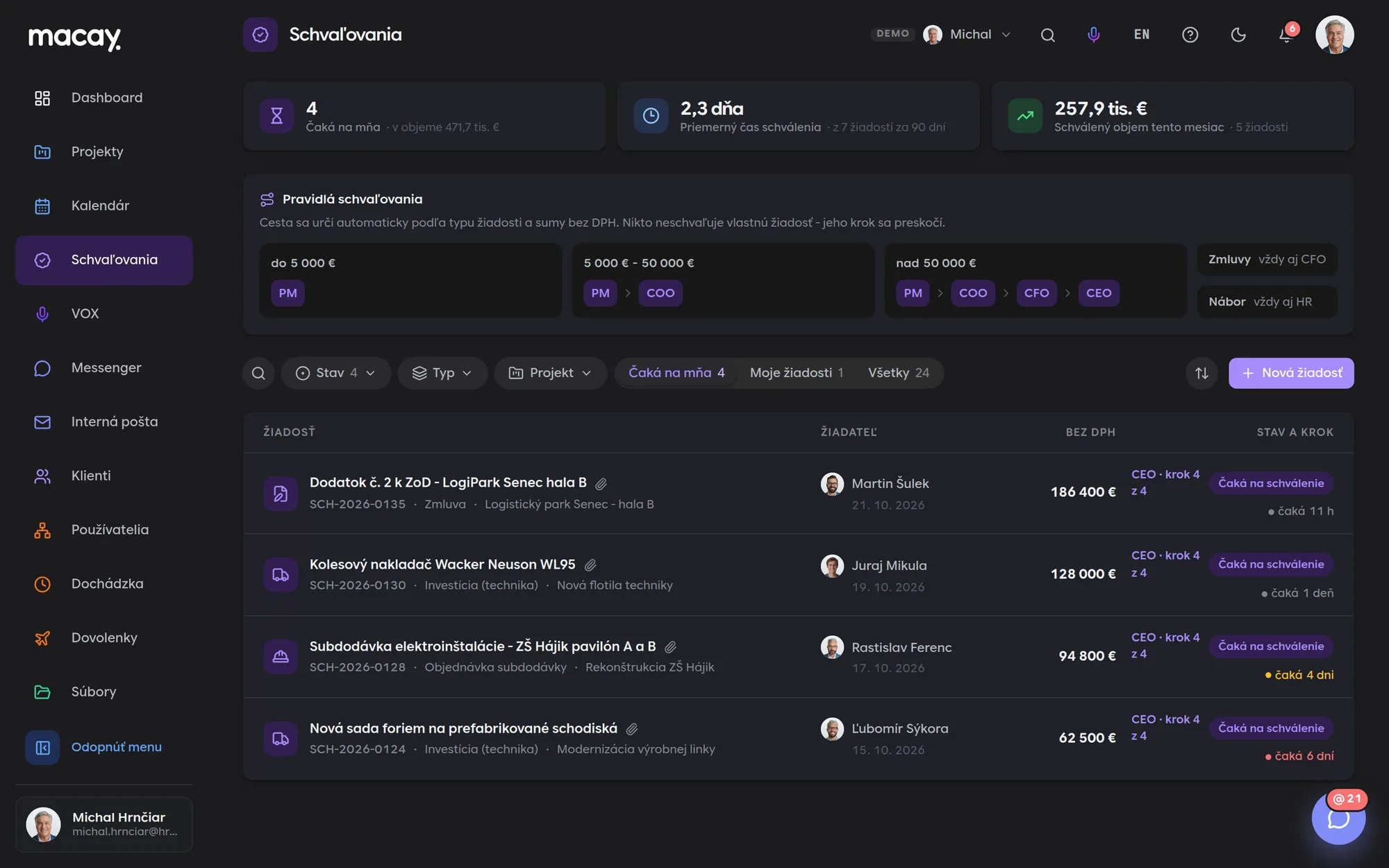
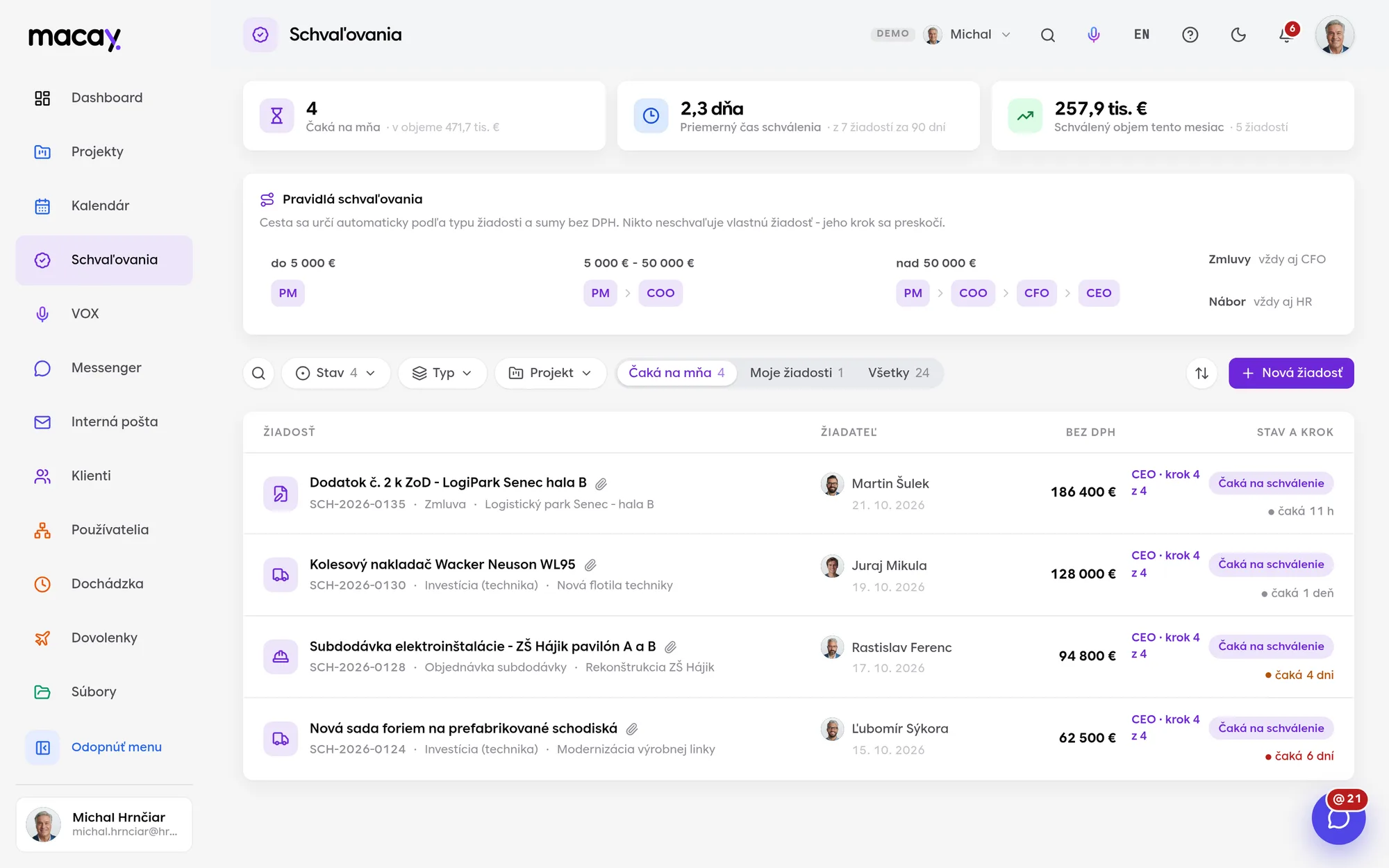
- 1Waiting on me Requests where it's your turn.
- 2Rules A path based on the amount, visible to everyone.
- 3Request Type, project and attachments on one line.
- 4Overview Average time and approved volume per month.
- 5New request You see the approval path before sending.
- 6Status and step Whose turn it is and how long it's been waiting.
Rules by amount and type
A small purchase is approved by the project manager, a large investment goes all the way to the director. No manual forwarding.
No one approves themselves
If the requester is also on the route, their step is skipped automatically and logged in the history.
Return for completion
Missing a price quote? The approver returns the request with a comment, the requester adds it and the path continues.
Electronic approval record
The approver confirms the final step with a record containing the fingerprint of the request content, the time and their name.
Attendance that adds itself up.
Arrivals, departures and breaks come in from terminals and from mobile. MACAY calculates hours worked, overtime and late arrivals, and prepares the data for payroll.
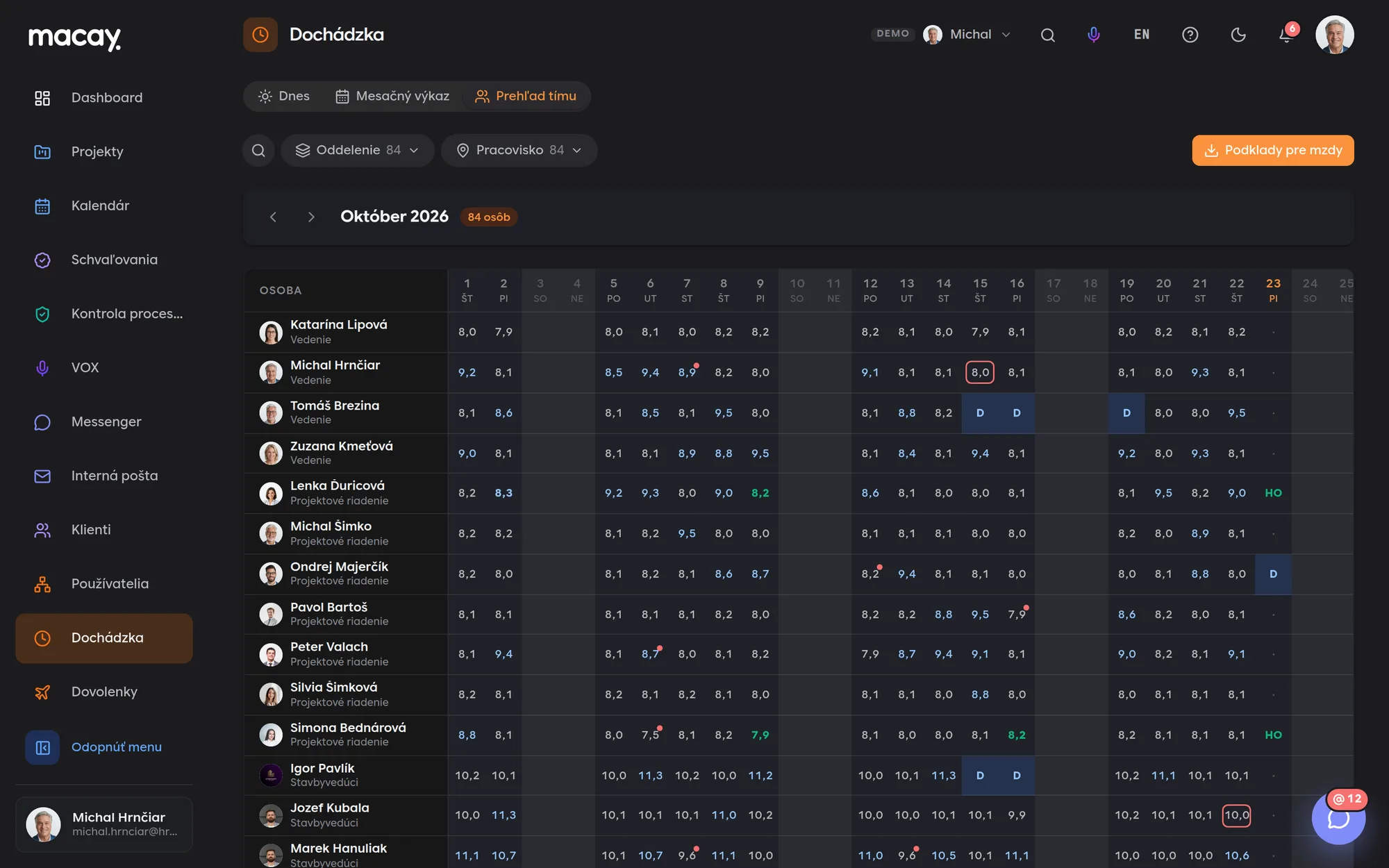

- 1Filters By department and site.
- 2People Name, department and hours by day.
- 3Late arrival A red dot on days with a late arrival.
- 4Payroll Payroll data for the month.
- 5Missing departure A highlighted day to resolve.
- 6Absences Vacation, sick leave, home office from Leave.
Terminal and mobile
Clock in with a card at the terminal or with a button in the app. Every record shows where it came from.
Who's at work today
Who is in, late arrivals, vacations, sick leave and home office on one screen, split by site.
Monthly timesheet
A personal calendar with arrivals, departures, hours and overtime for each day. Totals for the working-hours quota and absences at the top.
Corrections with a reason
A forgotten clock-out is filled in by the manager or HR. A reason is required and the original time stays in the correction history.
All your sites on one screen.
You see cameras from halls, warehouses and construction sites together, split by site. Events from AI analytics line up in one list, and you can turn each one into a task with the snapshot as evidence.
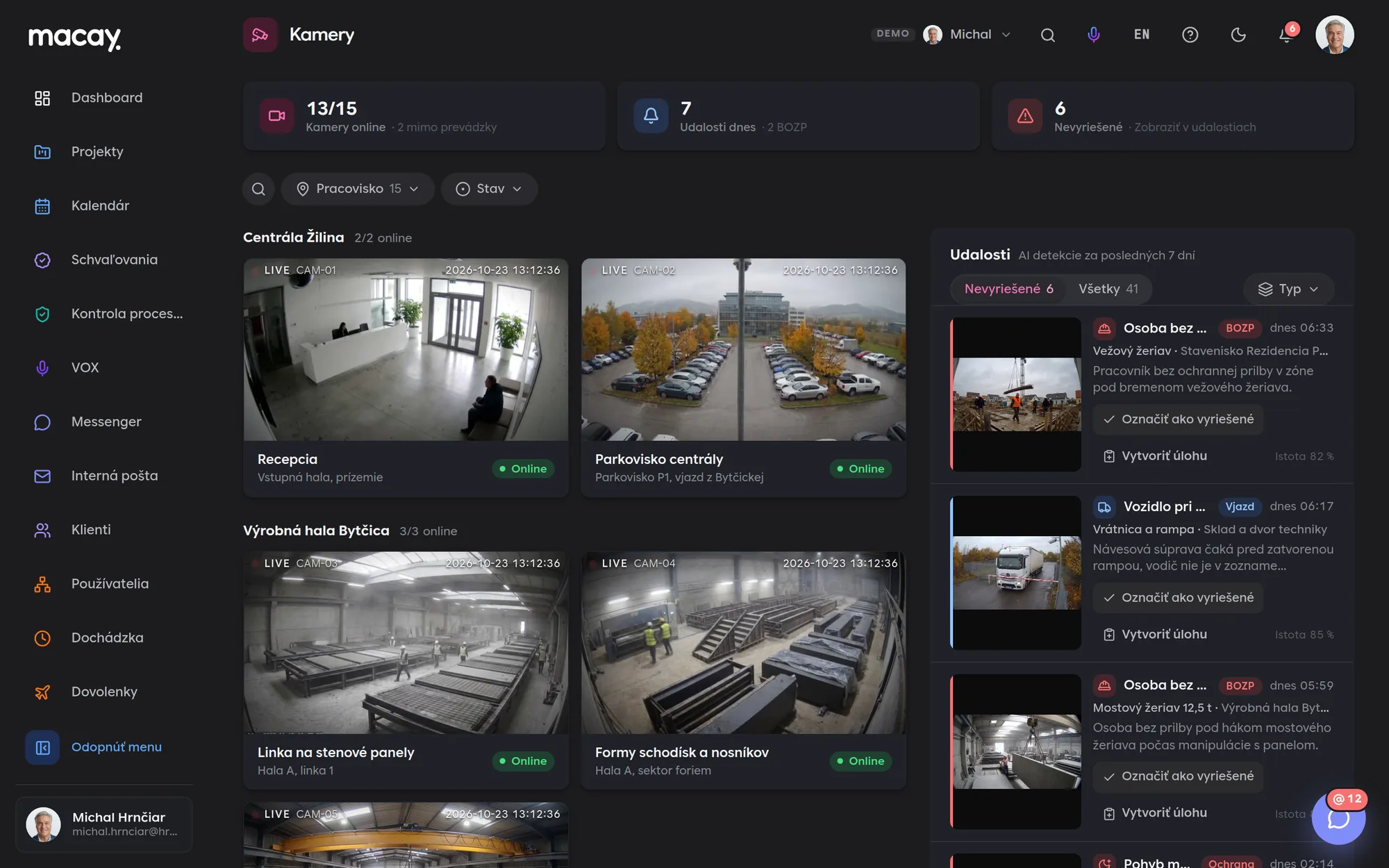

- 1Operation How many cameras are online and which are not.
- 2Sites Filter by site and status.
- 3Camera Live feed, location and status.
- 4Unresolved Events nobody has handled yet.
- 5Event Type, camera, time and snapshot.
- 6Task Turn an event into a task on the project board.
Cameras by site
Headquarters, production hall, warehouse and construction sites together. Each camera shows its location, device and status.
Video wall
A single-camera view or a grid of 4 or 9 feeds. For each camera you see its events from the last 7 days.
Events from AI analytics
Person without a helmet, vehicle at the gate, open gate, delivery van, movement outside working hours - with a snapshot and detection confidence.
A task in one click
The event becomes a task on the site's project board. The assignee is the person responsible for the site, and the snapshot is attached.
An audit pack an external auditor can verify too.
MACAY writes process steps, evidence and deviations into a chain with SHA-256 fingerprints. Notarization also anchors the fingerprints in a public blockchain, so you can prove the authenticity of the audit trail to a third party too.
We are developing notarization as an extension and enable it per project for the records you need to protect. Only the record's fingerprint (hash) goes to the blockchain, not its content or personal data.
- Tamper-proofOnce recorded, a fingerprint cannot be changed or deleted - not by us, not by an administrator.
- TransparentVerification is public. An auditor, inspector or court doesn't have to trust us or you.
- TimestampProof that a record existed at exactly that time and has not changed since.
- No personal dataOnly the fingerprint goes on the blockchain. The content stays with you, in line with GDPR.
We're happy to answer all your questions.
If you can't find what you're looking for, write to us. We'll answer specifically for your company and show it right in the system.
In the demo you choose from prepared sample policies and the process draft is prepared in advance - the app says so openly. For your company we set up processing of your own documents. You always review and adjust the draft before saving.
An audit pack - one page with the process, steps, responsible persons, deadlines, evidence, deviations with actions and SHA-256 checksums. Print it or save it as a PDF right from the browser.
Yes. We set up request types, amount thresholds, the order and the approver roles according to your internal policies. The rules above are the setup of the sample company in the demo.
It's an electronic approval record with an audit trail and a fingerprint of the request content. It is not a qualified electronic signature under eIDAS - we connect a signing service as part of a custom-built project.
Only HR (admin) and the person's direct manager. A correction requires a reason and the original time stays in the correction history. Everyone else sees only their own records.
CSV with semicolon-separated columns, UTF-8 encoded. Open it in Excel or upload it to your payroll software. We can build another format or a direct integration to fit your needs.
Events come from the cameras' AI analytics. MACAY collects them, sorts them by severity and turns them into tasks. In the demo, the events and snapshots are samples. Connecting your cameras and their analytics is handled during deployment.
Cameras are meant for administrators - management and system admins. Other users and clients have no access to them.
Didn't find what you're looking for?
We build custom modules exactly around your process - on the same foundations as all the others.