Company communication without private numbers.
Company chat with channels and threads, announcements with read confirmation, and notifications that arrive when something actually concerns you.
Company chat without private numbers.
Channels for the whole company and for individual construction projects, direct messages and threads in one place. Communication stays in the company, not on personal phones and in WhatsApp groups.
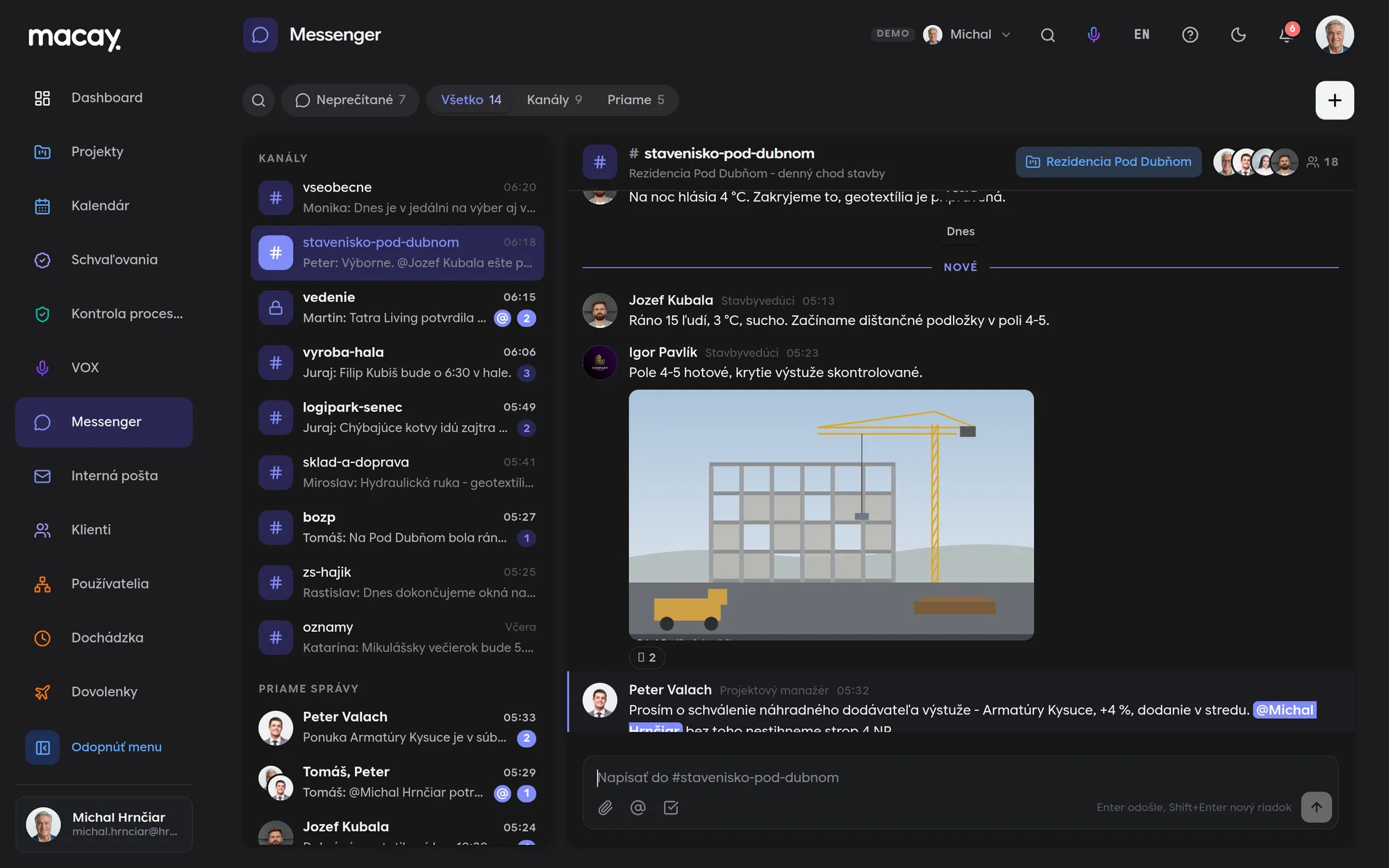
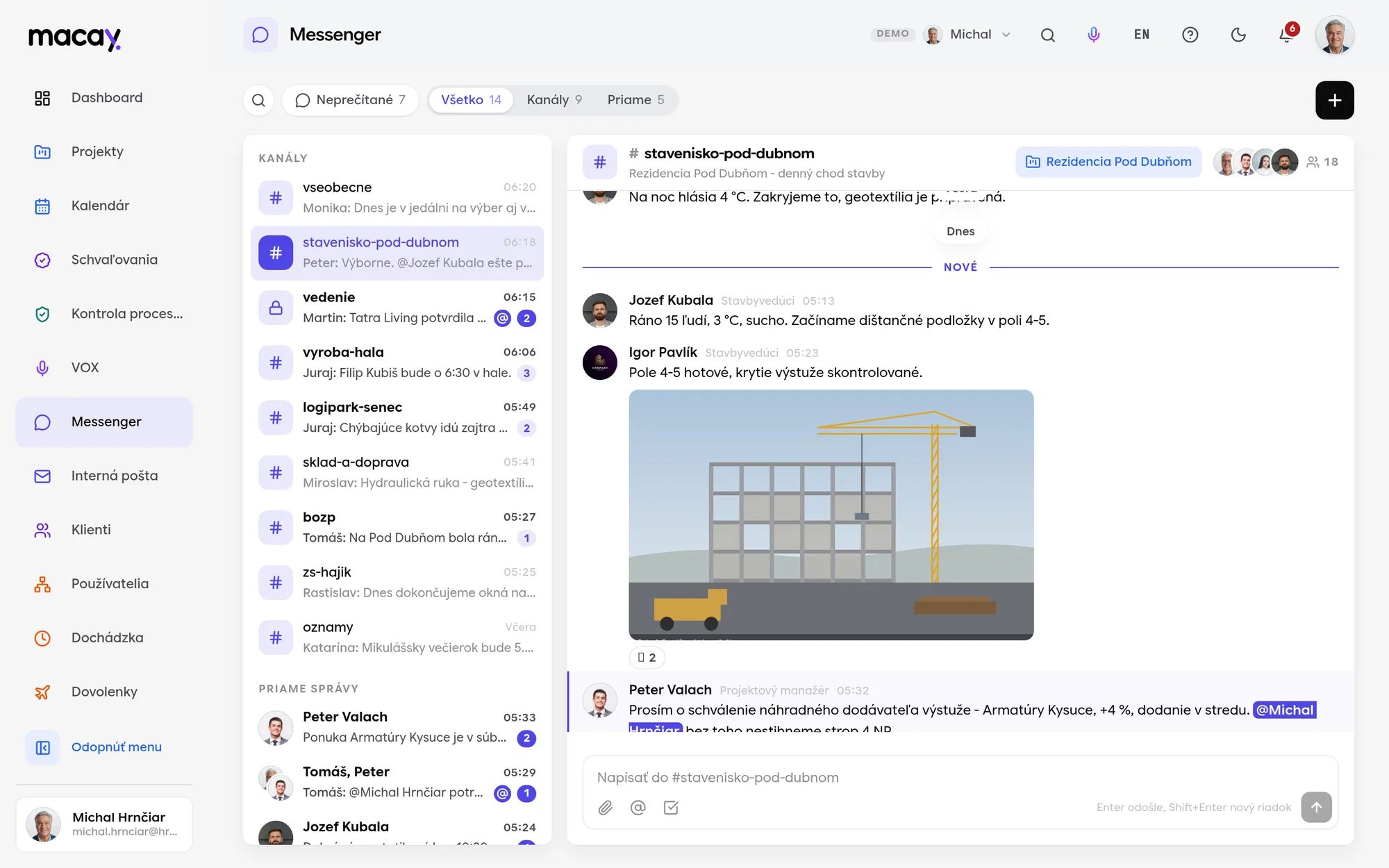
- 1Filters Channels, direct messages or unread only.
- 2Unread Number of new messages for each conversation.
- 3Direct messages With one colleague or a whole group.
- 4Project A channel linked to the construction project.
- 5Task in a message Task card with status and deadline.
- 6Writing @ mentions a colleague, Enter sends.
Channels for the company and for projects
Public, private and project channels with a topic. Anyone who posts in a public channel joins it automatically.
Threads
Replies to a specific message stay together in a thread. Next to the message you see the number of replies and who joined in.
Shared tasks
Insert a task from Projects into a message. Colleagues see its status and deadline and can open it in one click.
Mentions and reactions
Use @ to mention a colleague and they will see it next to the conversation. A reaction is enough to reply to a message.
Announcements people actually read.
Internal mail for the whole company, departments and construction sites. For an important instruction you see who has read it and who has not yet confirmed it.

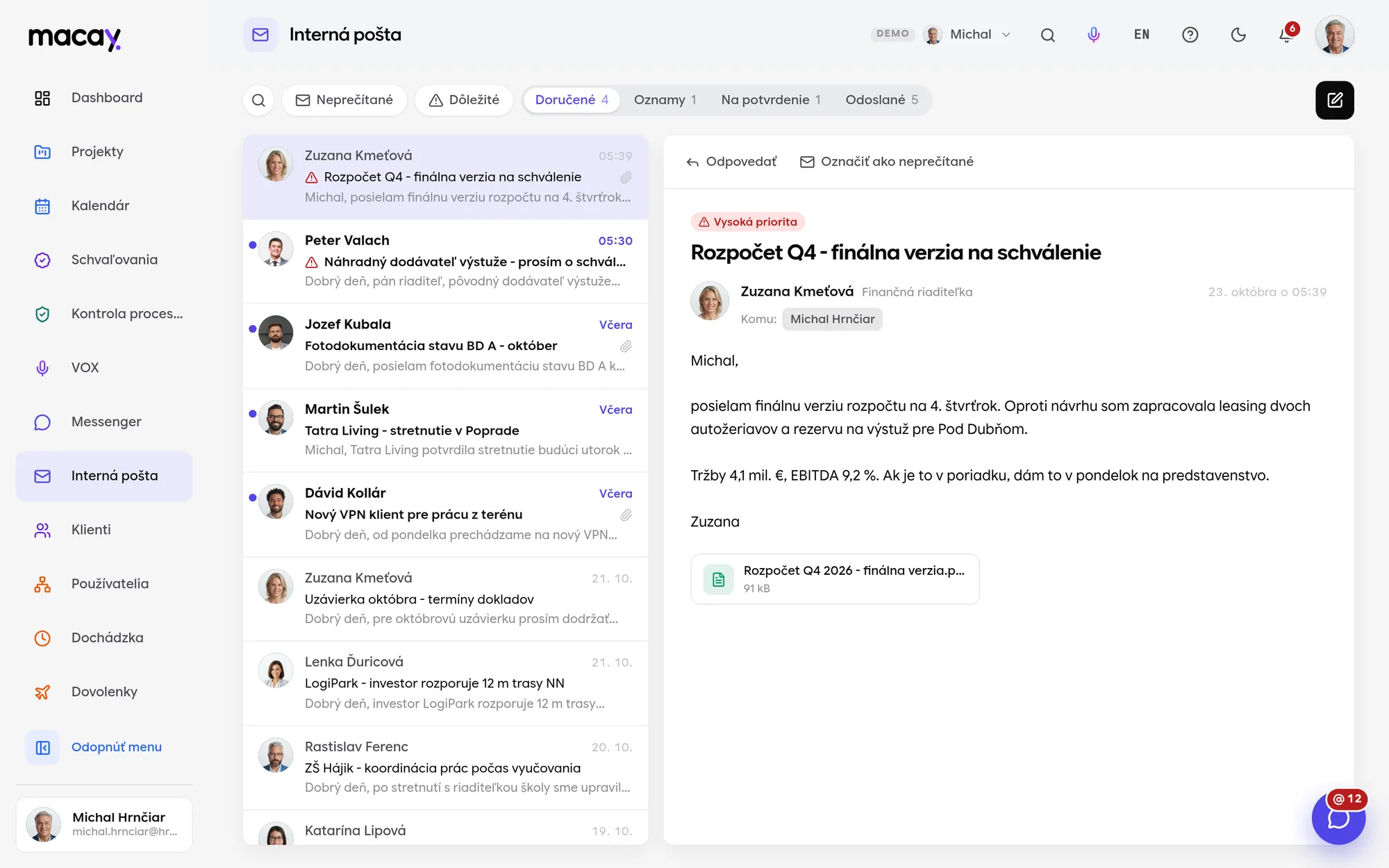
- 1Folders Inbox, announcements, to confirm, sent.
- 2Important High-priority messages are flagged.
- 3Message Sender, subject and text preview.
- 4New message To a person, department, construction site or the whole company.
- 5Recipients Who the message went to and how many people.
- 6Attachment A document right next to the message.
Company-wide announcements
Announcements have their own folder so they don't get lost among regular mail. Only management can send them to the whole company.
Acknowledgment confirmation
For health and safety instructions or internal policies, the recipient confirms with a button that they have read the content. The time of confirmation is stored.
Who hasn't confirmed yet
The sender sees the number of reads and confirmations and a named list of people who have not done so yet.
Departments and sites
You address a group, not a list of emails. Whoever belongs to the department or site gets the message.
You learn what really concerns you.
An assigned task, an upcoming deadline, a comment or a shared document. MACAY notifies you in the app, in the browser and on your phone, and by email for important events.

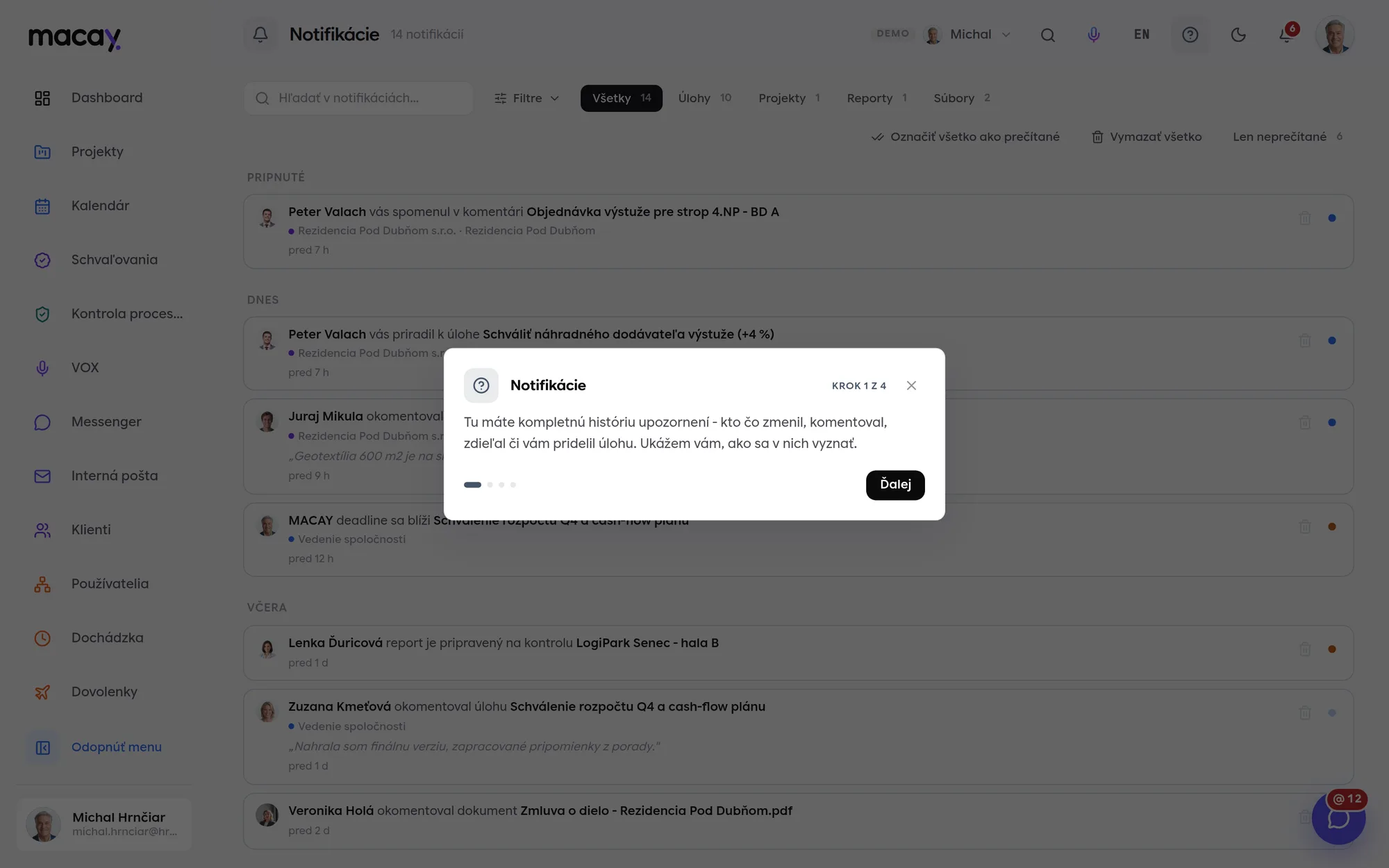
- 1Search In text, names, projects and clients.
- 2Comment The comment text right in the notification.
- 3Time Sorted by day - today, yesterday, earlier.
- 4Bell Unread count in the top bar.
- 5Bulk actions Mark everything as read in one click.
- 6Cleanup Delete one or all.
In-app bell
Unread count in the top bar and a short pop-up for each new event. The list refreshes on its own.
Push to browser and phone
The alert arrives even when the tab is closed. On the installed app, the unread count shows on the icon.
E-mail for important events
Assignment, deadline, mention, requests or a shared document. Routine edits don't go out by email.
Grouping changes
When a colleague edits a task several times in a row, you get one notification with a list of changes, not five.
A read receipt that can't be denied.
Notarization records who read an internal policy or a health and safety notice, and when, as a fingerprint on the blockchain. During an inspection you have indisputable proof that employees were informed in time.
We are developing notarization as an extension and enable it per project for the records you need to protect. Only the record's fingerprint (hash) goes to the blockchain, not its content or personal data.
- Tamper-proofOnce recorded, a fingerprint cannot be changed or deleted - not by us, not by an administrator.
- TransparentVerification is public. An auditor, inspector or court doesn't have to trust us or you.
- TimestampProof that a record existed at exactly that time and has not changed since.
- No personal dataOnly the fingerprint goes on the blockchain. The content stays with you, in line with GDPR.
We're happy to answer all your questions.
If you can't find what you're looking for, write to us. We'll answer specifically for your company and show it right in the system.
No. Messenger is for internal users only. Client accounts can't access it and don't appear in the list of people.
Photos and files in a conversation are shown right in the message. Uploading attachments is disabled in the sample demo.
No. Only management can send announcements and messages to the whole company. Everyone else writes to specific people, departments or sites.
For internal communication, yes - announcements, instructions and messages between colleagues. With clients and suppliers you keep using your email.
In the demo, a fixed rule by event type decides (see the table above). Personal settings - a weekly digest, quiet mode on weekends - are in the works. We set up custom rules for your company.
No. Just allow notifications in your browser. On mobile you can add MACAY to your home screen as an app.
Didn't find what you're looking for?
We build custom modules exactly around your process - on the same foundations as all the others.