Your team's daily work in one place.
Projects and tasks with assignees and deadlines, a company calendar and the VOX voice assistant, which turns a recording into tasks for you to approve.
Every task has its person and deadline.
Projects, boards and tasks in one place - with assignees, priority, deadline and comments. For every task you see who is working on it, what state it is in and what has happened to it.
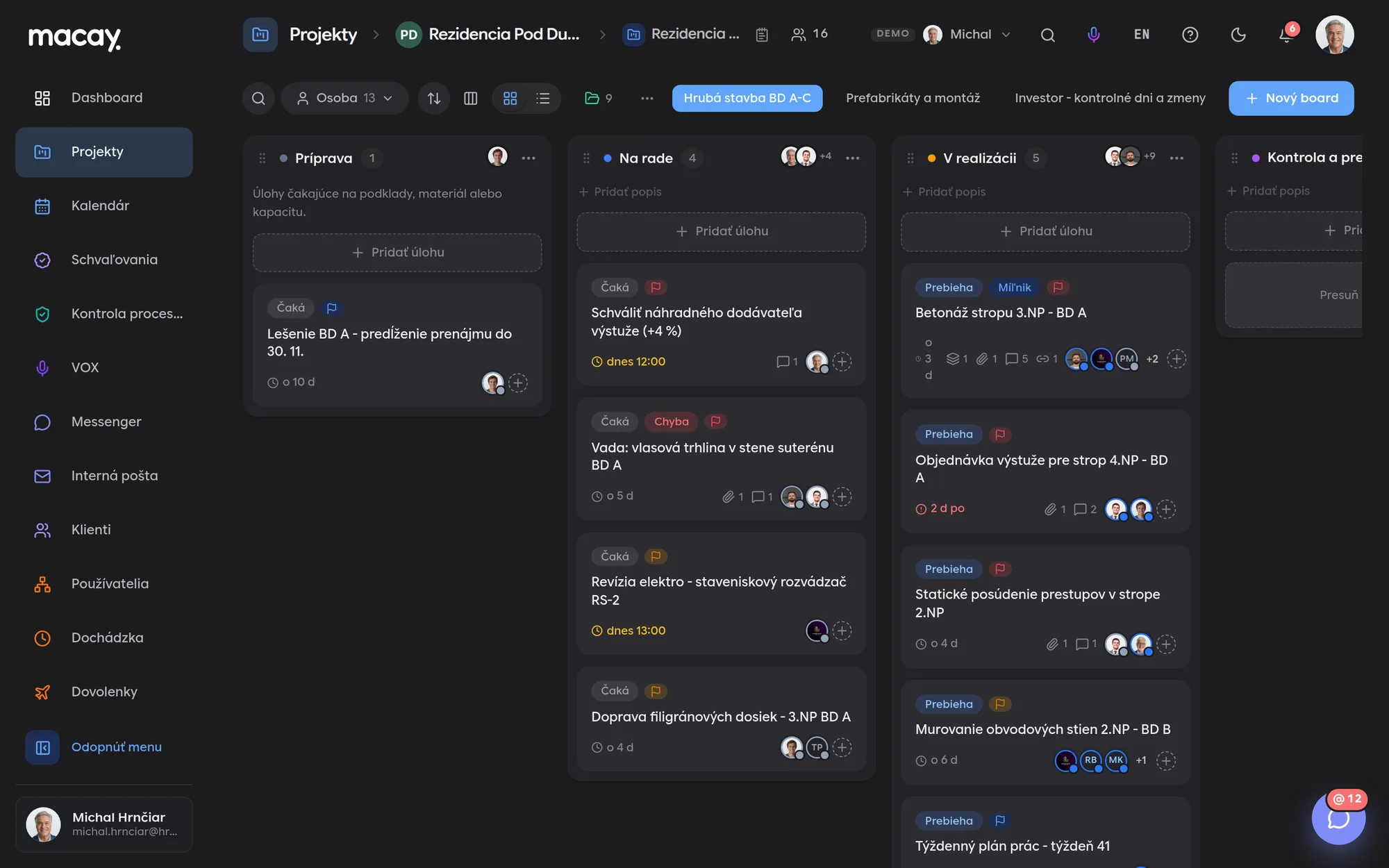
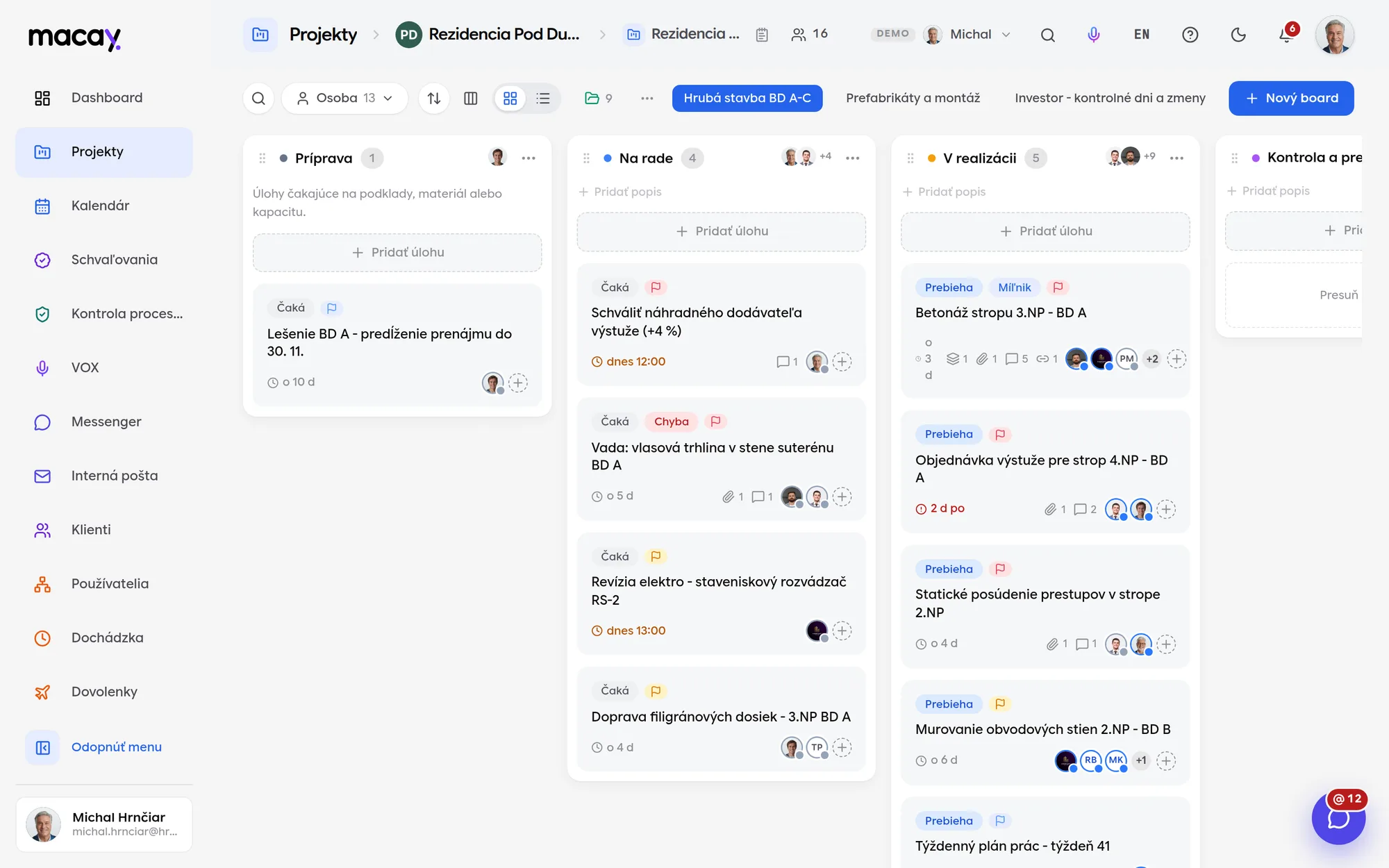
- 1Filters Person, priority, deadline, status or just mine.
- 2Columns Custom columns with a description of what belongs in them.
- 3Task type Task, bug, feature or milestone.
- 4Project boards One project, several boards by area of work.
- 5Task card Subtasks, files, comments and assignees.
- 6Overdue Delays are visible right on the card.
Board and list
Drag tasks between columns. If you prefer a table, switch to a list with status, deadline, priority and people columns.
Status for each assignee
Each assignee reports their own status: planned, in progress, done or on hold. A task is done only when everyone marks it done.
Comments with mentions
Discussion right on the task, with threaded replies. Type @name and the person mentioned gets a notification.
Complete change history
Changes to status, deadline, priority, assignee or files, and moving a task, are all logged with name and time.
The whole company's deadlines in one calendar.
Task deadlines appear in the calendar on their own, and you add events to a project. The calendar keeps no copies of the data, so it never drifts apart from the task board.
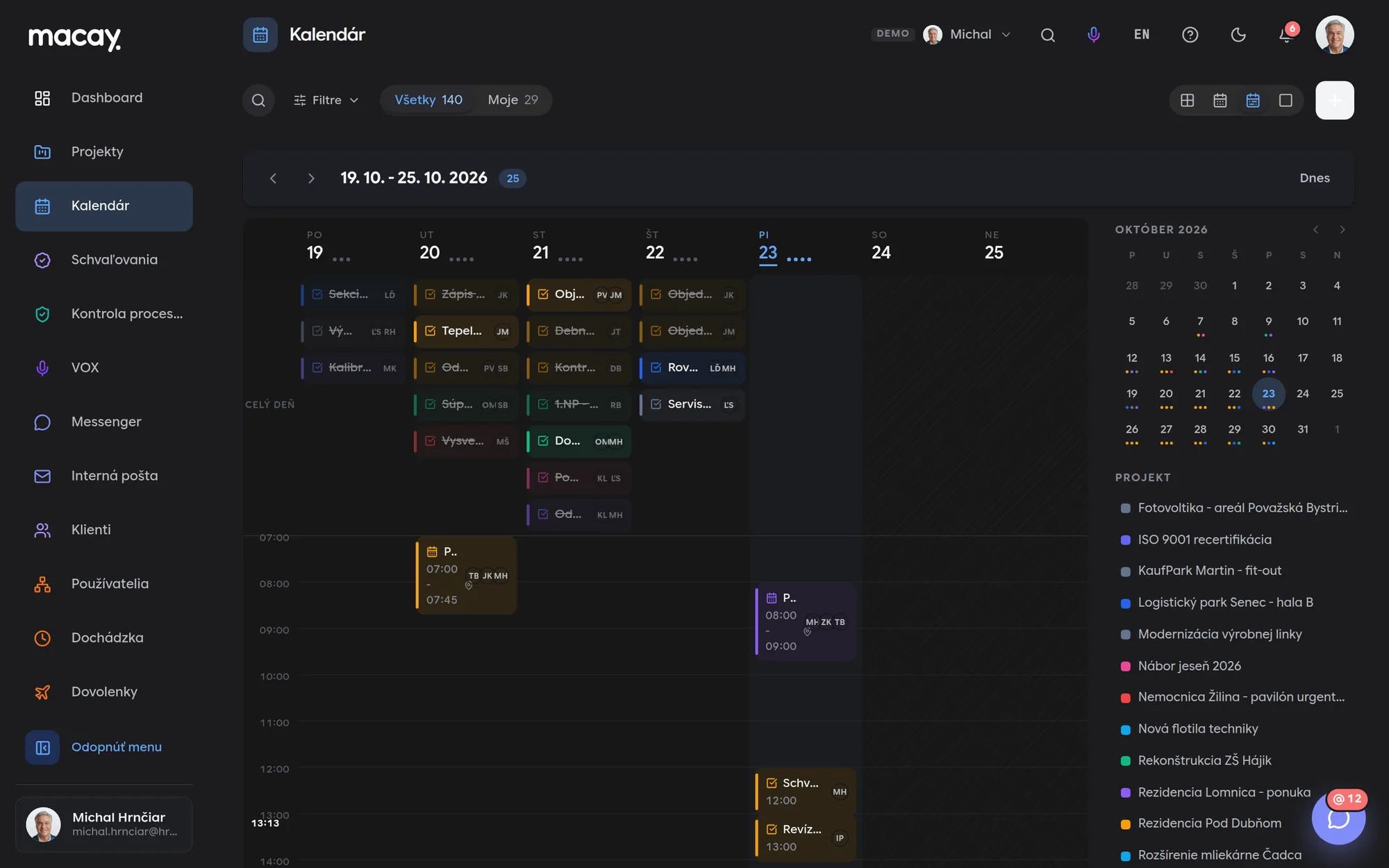
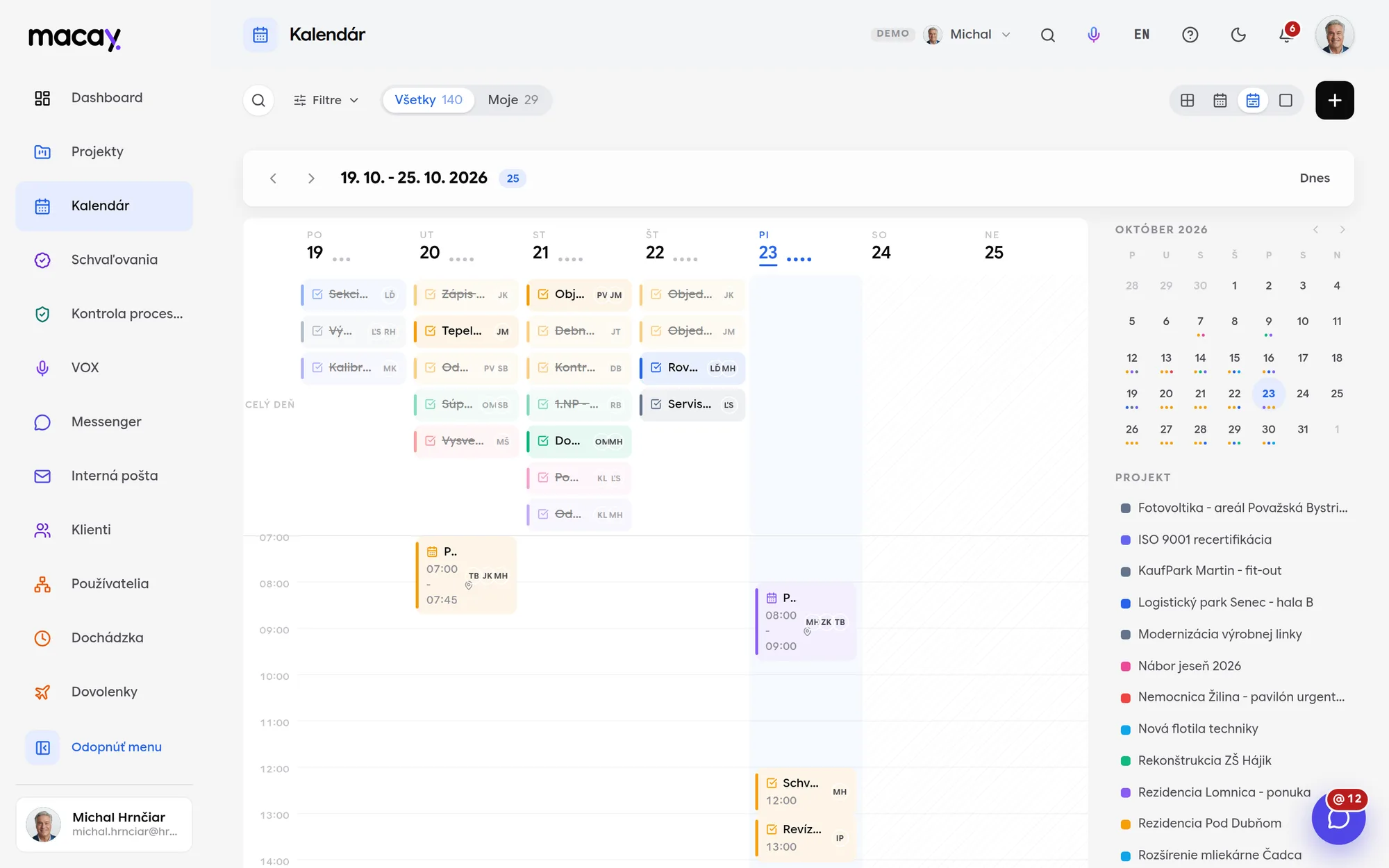
- 1All / Mine Just what's yours, in one click.
- 2Task deadlines Come from the board, nobody retypes them.
- 3Event Time, place and people on the project.
- 4New event Or with the plus right in the day cell.
- 5Mini month Quick jump to another day.
- 6Project legend Project color that doubles as a filter.
Task deadlines without retyping
A task with a deadline shows up in the calendar automatically, with the project color and assignees. A click opens a preview and a link straight to the task on the board.
Year, month, week, day
The year view marks days with items, week and day show a timeline. Arrows move the range, Today takes you back.
Drag to reschedule
Drag a task or event to another day. Task assignees get a notification that the deadline has moved.
Events with people and places
An event belongs to a project and has a time or is all-day, a location or call link, a note and invited colleagues.
Just say it. Tasks are created once you approve them.
VOX records what you say and transcribes it at the same time. AI suggests tasks from the transcript with the project, people and deadline - they only go into the project once you approve them.
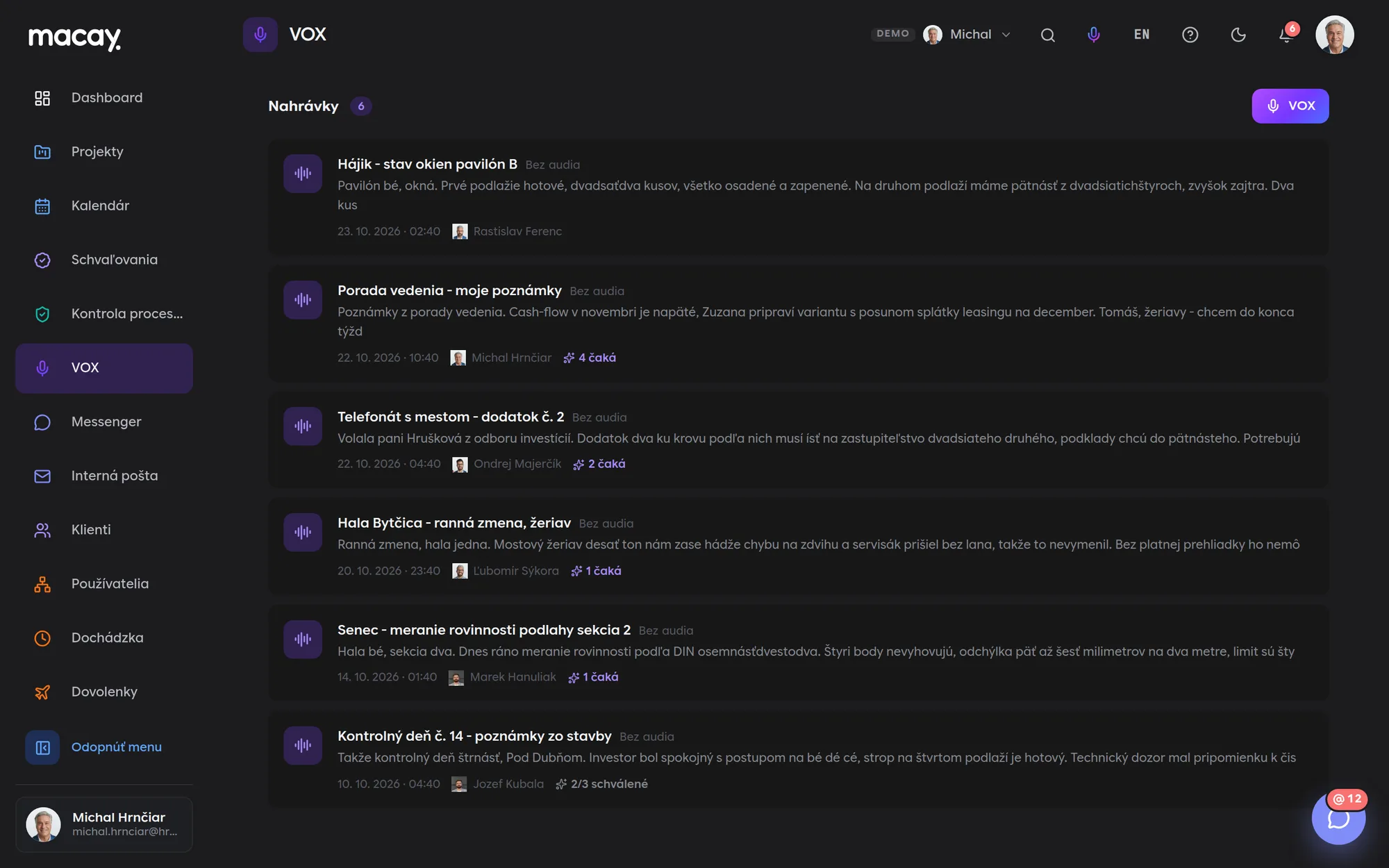
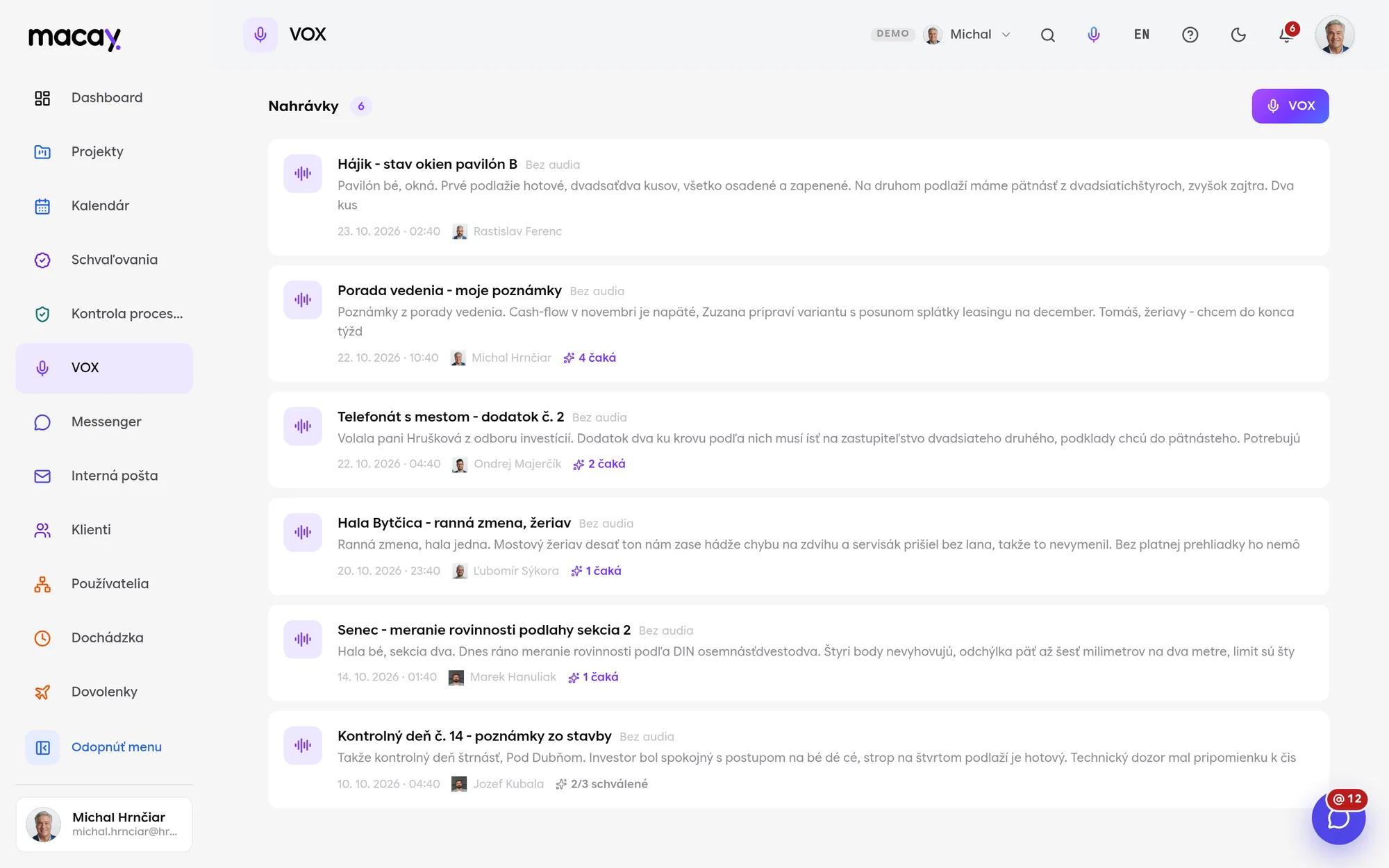
- 1Recording Title, who recorded it and when.
- 2Pending How many suggestions nobody has approved yet.
- 3Handled How many suggestions have already become tasks.
- 4Microphone Start recording from any page.
- 5Transcript The start of the text right in the list.
- 6From the field Dictate on site, in the car, after a meeting.
Microphone always at hand
Start VOX from the top bar on any page. No need to look for a module or open a project.
Audio and transcript at once
While you speak, VOX records the audio and transcribes your speech. You can play back the recording in the detail view anytime.
The transcript can be corrected
You can edit the title and transcript by hand. AI works with what is in the transcript - correcting names and dates pays off.
AI task suggestions and summary
The transcript produces a short summary and a list of tasks. Relative dates like tomorrow or on Friday are converted to actual dates.
We're happy to answer all your questions.
If you can't find what you're looking for, write to us. We'll answer specifically for your company and show it right in the system.
No. A client account sees only its own company's projects, read-only. It doesn't see internal projects without a client at all.
Yes. A project supports task export and import in JSON and CSV, with a dry run before writing. For a larger migration we prepare a custom import.
No. Every task with a deadline shows up in the calendar on its own. You only add events manually - meetings, appointments, inspections.
A client account sees only events from its own projects that have Visible to client turned on. It doesn't see internal events or other clients' projects.
No. AI only suggests. A task is created in the project only after someone from the team approves the suggestion.
Slovak or English, depending on the language set in your system. Transcription is done by the browser, so not every browser supports speech recognition.
Didn't find what you're looking for?
We build custom modules exactly around your process - on the same foundations as all the others.